File Recovery - Photo & Video
- 4.5
- Rating
- 500.00K
- Installs
- Free
- Price

 Analysis by App-foxy
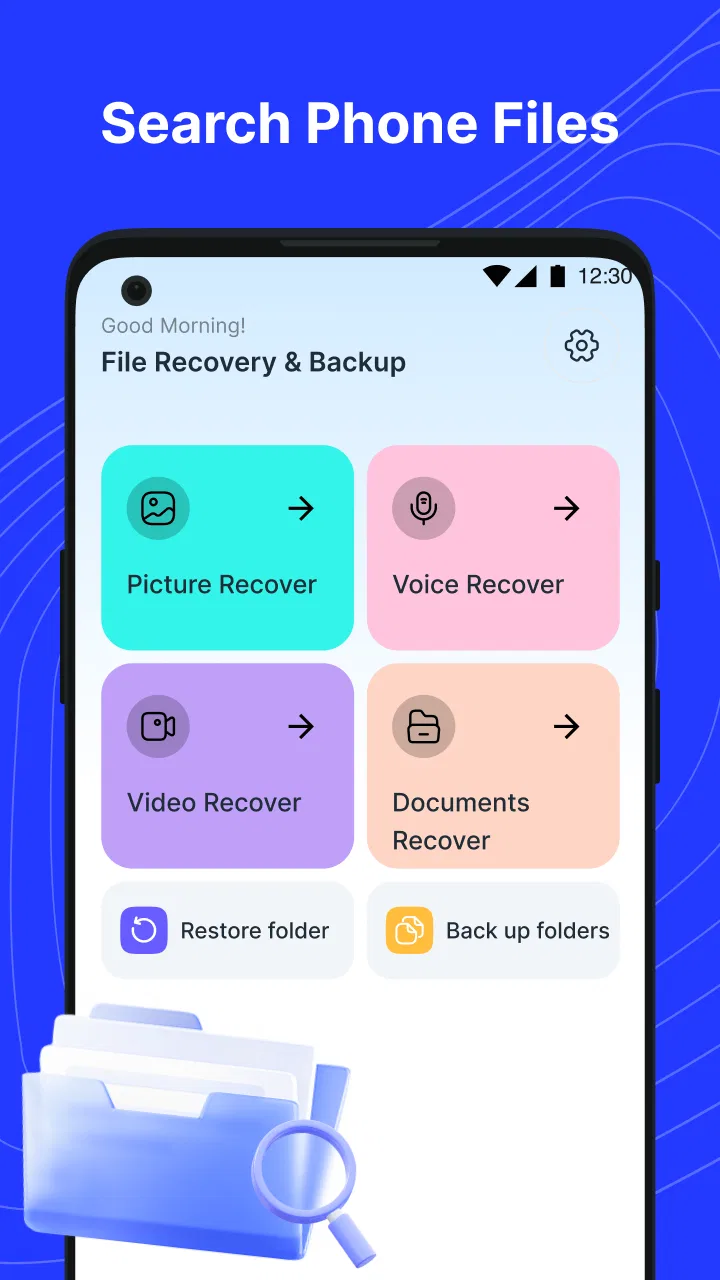
When a photo, video, or audio file disappears, the first reaction is usually panic. I know that feeling: you search the gallery, check the recently deleted folder, and wonder whether the file is gone for good. File Recovery - Photo & Video is a free tools app from Starlinton that aims to make that search easier by looking for recoverable media and helping you back up important files before another mistake happens. I found its appeal easy to understand, especially for people who want a straightforward recovery attempt without immediately connecting a phone to a computer.
My main advice is to treat it as a recovery attempt, not a guarantee. Deleted files can be overwritten by new data, damaged storage, failed transfers, or app-specific cleanup. The sooner you stop using the affected storage and begin checking for the missing item, the better your chances generally are. That practical limitation matters more than any attractive promise attached to a recovery tool.
File Recovery - Photo & Video is listed as an app in the tools category, with a Everyone age rating. It is free to use, and the current release is version 1.2.5. The minimum operating system is Android 7.0, so it is accessible to people using older Android phones as well as more recent devices. Starlinton is the developer, and the app has reached over 500 thousand installs with a 4.7 average from around 2.8 thousand ratings.
You May Also Like

 Blood Strike: 2.5 Anniversary
Blood Strike’s Loadouts Turn Every Drop Into a Tactical Gamble
A close look at Blood Strike’s custom loadouts: how fast access to signature weapons reshapes its battle royale rhythm, rewards preparation, and narrows the gap between fights.

 Pandora - Music & Podcasts
Pandora’s Music Is Easy to Start, but Harder to Recover
Pandora’s strength is its low-effort path from a seed to a station. Its weak spot is how much confidence it asks you to place in connection, setup, and quiet recovery.

 8 Ball Pool
 Is Built on Rivalries, Rematches, and Routine
A close look at the rivalries, rematches, shared routines, and unanswered safety questions that turn a quick pool match into a persistent mobile community.

 Samsung Music
’s Quiet Strength Is Playing What You Already Own
Its reach comes less from spectacle than from dependable access to a personal library. That simplicity is both the app’s strongest retention engine and its ceiling.

 AccuWeather: Weather Radar
AccuWeather Review: A Quick, Clear Forecast for Everyday Decisions
For everyday plans, the best forecast is the one you can understand quickly. AccuWeather makes rain timing, radar, and local conditions easy to act on, with a few trade-offs.

 Hill Climb Racing
Why Hill Climb Racing Still Turns Crashes Into One More Run
A tiny car, a bumpy hill and one more upgrade: Hill Climb Racing keeps resurfacing because its simple chaos makes every near-miss feel personal.
More From Our News Desk



Where the recovery process usually gets stuck
The most common problem is not necessarily the app itself. People often expect a deleted file to appear instantly, even though the file may have been removed from a visible folder while traces remain elsewhere on the device. A scan can therefore take patience, and the results may need sorting rather than simply opening a neat list of recently deleted items.
I would also avoid continuing to take photos, download large videos, install games, or copy files onto the same storage after noticing a deletion. New activity can occupy space that previously belonged to the missing file. Even if the recovery app works correctly, it cannot reliably restore information that has already been replaced.
Another point of confusion is the difference between a file being deleted and a file being hidden. A missing image may have been moved to another folder, renamed by a messaging app, excluded from a gallery view, or left inside a cloud service rather than stored locally. Running a recovery scan is reasonable, but I would first check the gallery’s trash area, file manager, messaging conversations, and any backup service I already use. This avoids mistaking a location problem for permanent deletion.
File Recovery - Photo & Video is most useful when I approach it as one step in that wider check. Its focus on photos, videos, and audios makes sense for everyday accidents, such as deleting a family clip while clearing space or losing a voice recording after reorganizing folders. It is less suitable as a complete answer for every kind of lost data, particularly when the missing material belongs to a specialized app with its own private storage.
What I check before pressing scan
Before starting, I make a note of the missing file’s approximate name, format, folder, and creation period. That small preparation helps me recognize a genuine result later. A recovery screen can contain similarly named images, thumbnails, temporary copies, or files with incomplete previews. Knowing whether I am looking for a short audio note, a camera photo, or a large video makes the results much easier to judge.
I also check available storage. Recovery tools may need room to save restored copies, and a nearly full phone creates unnecessary friction. I would not delete random files to make space unless those files are safely backed up somewhere else. A rushed cleanup can make the original problem worse.
The app supports a practical prevention habit as well: backing up important files and data. I would use that option selectively rather than treating it as a replacement for a full phone backup. The most valuable items are usually irreplaceable recordings, travel photos, scanned documents, and videos that have not been copied elsewhere. A small, deliberate backup set is easier to maintain than an unstructured pile of duplicates.
There is also a useful timing rule. If a file was deleted moments ago, I first look in the phone’s normal trash or recently deleted location. If it disappeared after a failed transfer or storage cleanup, I check the original source and destination before scanning. The recovery app becomes more relevant when those ordinary routes do not explain what happened.
Setup checks that prevent misleading results
Because the app works on Android devices starting with Android 7.0, the exact menus and storage behavior can differ between phones. I would read each on-screen request carefully and make sure the app is being used on the device that actually held the missing file. Installing a recovery tool on a different phone will not help locate media that was stored elsewhere.
I keep the phone awake and avoid interrupting a scan if the app is still working. Battery-saving settings can sometimes pause background activity or close an app that has been left idle. If the scan stops, I restart it with the phone charged and with other demanding apps closed. This is general troubleshooting rather than a promise about a particular device, but it removes several avoidable interruptions.
Storage location is another important check. A photo may have been saved to internal storage, a removable card, or a folder managed by another application. If the original location is not included in the search, the results can look empty even though the recovery attempt was performed correctly. I therefore retrace how the file was created: camera, recorder, browser download, messaging app, or file transfer.
I would also be cautious with duplicate results. A recovered image may appear more than once because the phone created a thumbnail, edited copy, or shared version. I compare previews, dimensions, file names, and dates where those details are available. Restoring everything at once can fill storage and leave a confusing collection of copies.
The app’s free price makes it easy to try without committing money, which is helpful in an urgent situation. Still, free does not remove the need for careful handling. I would never delete the only remaining copy of a recovered file until I had opened it and confirmed that it is complete.
Building a safer recovery workflow
My preferred workflow starts with stopping unnecessary activity. I close social media, camera, and download apps, then check the normal deleted-items folders. After that, I use File Recovery - Photo & Video to search for the missing media, review the results slowly, and restore only files that I can identify with confidence.
For a realistic example, imagine deleting several pictures while clearing a messaging folder and noticing the mistake later that evening. I would first check the conversation, the gallery trash, and the file manager. If those routes failed, I would stop taking new photos, run the recovery check, and look for the images by visual content rather than trusting a generic file name. Once I found the likely copies, I would save them to a clearly named folder and open each one before considering the job finished.
Audio deserves slightly different attention. A voice recording may have a less obvious thumbnail, and its file name may not tell me whether it is the correct item. I would restore one candidate at a time and play it from beginning to end, especially if the recording is needed for work, study, or an important personal reminder. A file that appears in a result list is not automatically a usable recording.
Videos can be more demanding because they are larger and more vulnerable to incomplete recovery. I check the beginning, middle, and end of a restored clip rather than assuming that a successful preview means the entire video is intact. If the clip matters, I make a second copy after verifying it and avoid editing the original recovered file until I know I have a safe version.
One of the more useful habits is separating discovery from preservation. The first pass is about finding likely candidates. The second is about opening them, renaming them clearly, and placing them in a safe backup location. Mixing those tasks encourages impulsive bulk restoration and makes it harder to tell which files are genuine.
I would also keep the recovered destination different from the original location when possible. If the deleted file came from a camera folder, saving the restored copy to another organized folder reduces confusion and makes comparison easier. It also gives me a cleaner way to identify duplicates later.
For future protection, I use the backup function for files that would be difficult or impossible to recreate. That includes personal recordings and original photos, not every temporary download. I label folders by event or purpose and occasionally open a few backed-up files. A backup is only useful if it can actually be found and opened when needed.
When the app is not the cause
Sometimes a recovery app appears to fail because the file has already been overwritten. This can happen after heavy phone use, large downloads, repeated recording, or a storage cleanup. In that situation, trying several scans may not bring back the original content. The sensible response is to stop making changes and look for another copy in a cloud account, computer, memory card, message thread, or shared folder.
Physical storage problems are another boundary. If a phone cannot consistently read its internal storage or a removable card disconnects, a normal app-based scan may not be enough. Repeatedly forcing the device to read damaged media can make the situation more stressful. For valuable files, a professional data-recovery service or a specialist desktop solution may be more appropriate than continuing with mobile experiments.
There are also privacy and access considerations. Files held inside secure folders, encrypted areas, or app-specific storage may not behave like ordinary camera media. A recovery tool designed around accessible photos, videos, and audio cannot be assumed to retrieve protected content from every application. If the missing item belongs to a messaging service, I would investigate that service’s own backup and export options first.
People who need advanced forensic recovery, partition repair, or recovery from a phone that no longer boots should probably choose a desktop or specialist route instead. File Recovery - Photo & Video is better suited to a working Android phone and an everyday deletion or disappearance. That narrower role is not a weakness by itself; it simply defines when the app is the sensible first choice.
I would also skip it if I already have a reliable, recent backup and can restore the file directly from there. Restoring from a known-good backup is usually cleaner than scanning for fragments. The app is most valuable when the ordinary backup path is missing, incomplete, or too difficult to search.
What the current release means in daily use
The current version, 1.2.5, gives the app a clear point of reference when troubleshooting. If the interface behaves differently from an older guide, I would follow the controls shown on the device rather than relying on screenshots from another release. Recovery tools can change their scan flow, result presentation, and backup organization over time.
The app’s broad compatibility is convenient for households with older Android phones, while the Everyone rating makes it approachable for general family use. I would still supervise a child using it to restore or back up files, not because the age rating creates a special concern, but because accidental bulk actions can produce duplicates or consume storage quickly.
Its strong public reception and growing install base make it a reasonable first experiment, but neither popularity nor an average rating can tell me whether a particular deleted file remains recoverable. The deciding factors are still timing, storage activity, the original file location, and whether another copy exists.
My practical verdict
I see File Recovery - Photo & Video as a useful first response to ordinary media loss on Android. It is free, focused on the file types people most often regret deleting, and simple enough to fit into a calm step-by-step workflow. I especially like the combination of recovery and backup because it addresses both sides of the problem: finding something that vanished and reducing the chance of losing it again.
My recommendation comes with a firm condition: use it early, use it carefully, and verify every restored file. Do not keep filling the phone while searching, do not assume every result is the original, and do not erase other copies until the recovered version has been tested. Those habits will matter more than repeatedly pressing scan.
For a deleted camera photo, a missing family video, or an audio recording that disappeared during a cleanup, I would try this app before moving to a more complicated computer-based solution. For damaged storage, protected app data, a phone that will not start, or files that have been heavily overwritten, I would choose a specialist alternative or restore from a known backup instead.
In the end, File Recovery - Photo & Video is best viewed as a practical safety net, not a promise of perfect restoration. With realistic expectations and a disciplined workflow, it can be a worthwhile tool to keep available. Its backup function may prove even more valuable than the recovery scan, because preventing a second loss is usually easier than trying to reconstruct the first one.
FAQs for File Recovery - Photo & Video
01What is File Recovery - Photo & Video used for?
File Recovery - Photo & Video is designed to scan your device for deleted or lost pictures and videos that may still be recoverable. After installation, the app searches available storage for removable media and displays potential results for review. It can be useful when files were accidentally deleted, although recovery depends on whether the data has already been overwritten.
02Can File Recovery - Photo & Video recover every deleted photo or video?
No recovery app can guarantee that every deleted file will be restored. The application may find items that remain in accessible storage areas, but success depends on how long ago the files were removed, how much the device has been used since deletion, the storage type, and whether the data was permanently erased. Stop saving new files if recovery is important.
03Does the app require root access on Android or special permissions?
The app may request permission to access photos, videos, and device storage so it can scan for recoverable files. Basic scans commonly work without root access, but deeper searches may be limited by Android security restrictions, especially on newer devices. Review each permission request carefully and remember that iOS recovery options can be more restricted than Android.
04Are recovered files saved automatically, and where can I find them?
Recovered items normally need to be selected and saved to a destination chosen within the app, such as internal storage, a separate folder, or another supported location. It is safer to save restored files somewhere different from the original storage area to reduce the chance of overwriting other recoverable data. Check the app’s output folder and gallery afterward.
05Is File Recovery - Photo & Video safe and completely free to use?
Before using the application, check its current store listing for advertising, in-app purchases, subscription terms, and privacy information, since these details can change between versions. Avoid granting unrelated permissions and do not upload sensitive media unless the app clearly explains why it is needed. For private photos or videos, review the developer’s data-handling policy first.
Pros
- Recovers deleted photos and videos without requiring root access.
- Simple interface makes scanning and restoring files easy for beginners.
- Supports multiple common image and video formats.
- Preview feature helps select files before restoring them.
- Can save recovered media directly to your device storage.
Cons
- Recovery results depend heavily on how long ago files were deleted.
- Deep scans may take considerable time and drain the battery.
- Some recovered files may be incomplete or corrupted.
- Full recovery features may require in-app purchases.
- Scans can display many duplicate or unrelated files.

File Recovery - Photo & Video
Gallery